
Security & encryption
All data is encrypted in transit with TLS and at rest. Detective responses use secure, single-purpose password-less links — no shared credentials to leak or manage.

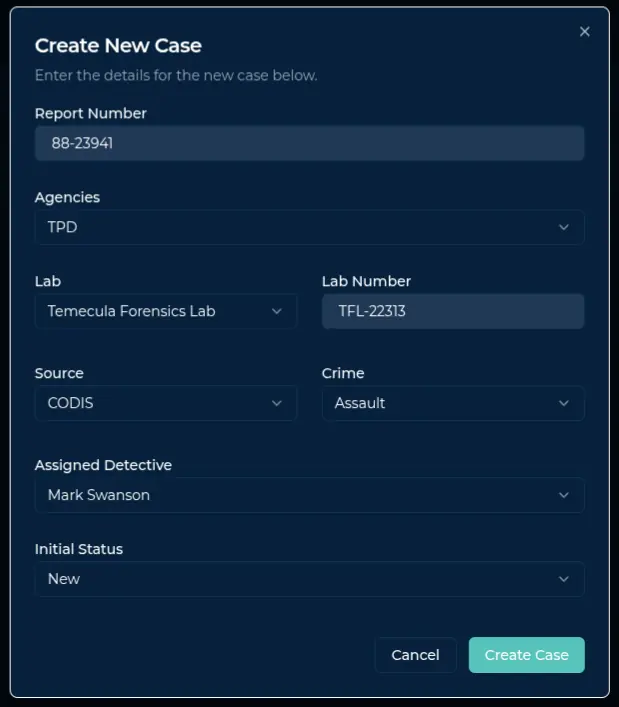
Simple case setup makes it easy for lab scientists or administrators to notify investigators of new evidence for a case. Enter the report number, agency, lab, and primary detective — that's it.
Once a notification is sent, Forensic Tracker automatically escalates based on the schedule you set to ensure new evidence gets into the investigative process.
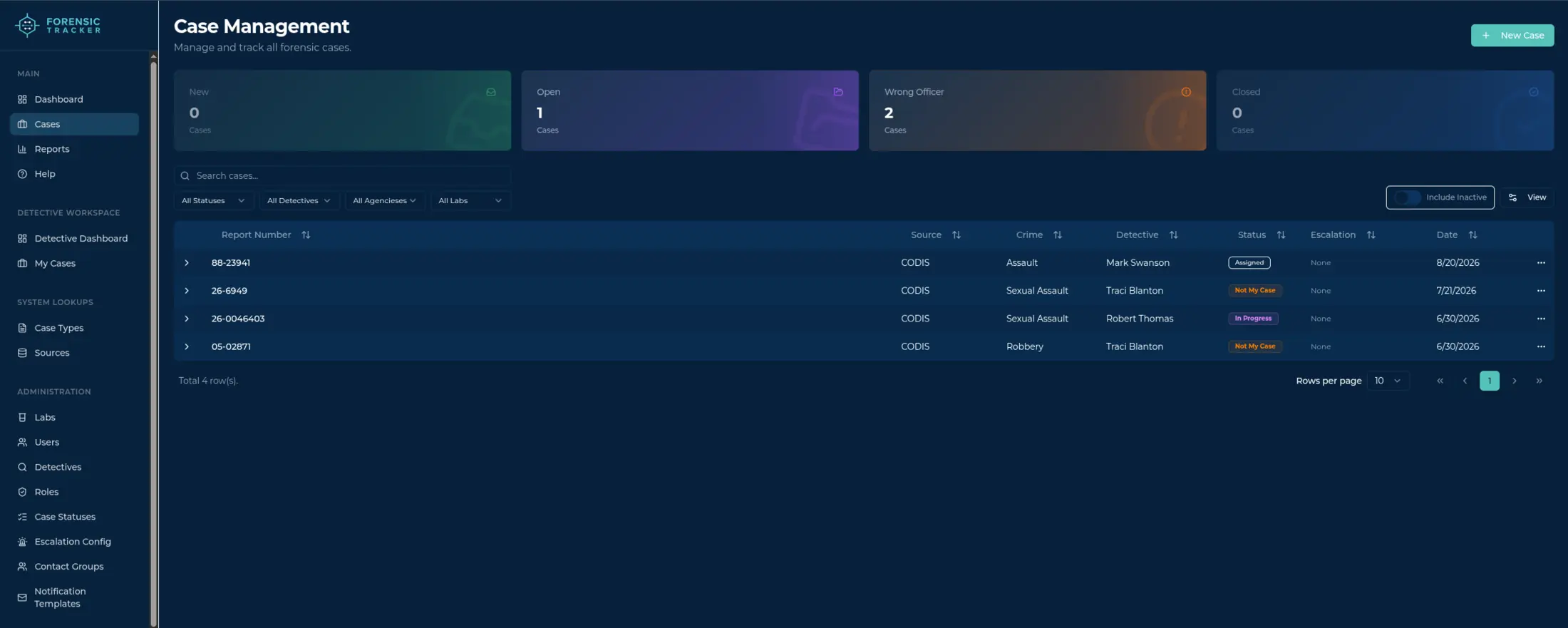
Manage and track all forensic cases in one view. Filter by status, detective, agency, or lab; see at a glance which cases are new, open, misrouted, or closed; and sort every hit by source, crime, escalation, and date.
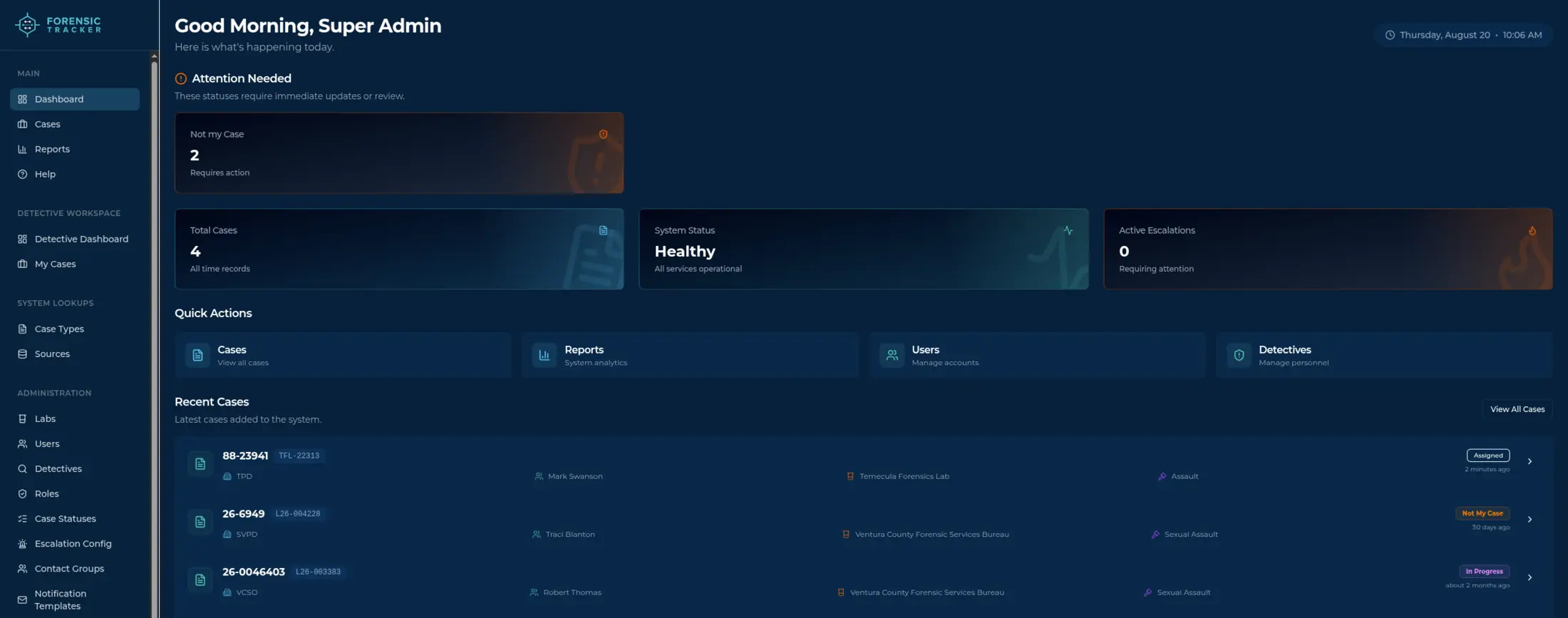
The lab dashboard gives rapid and clear access into case statuses — attention-needed alerts, active escalations, and recent cases at a glance — and lets you easily create a new notification. See every open hit, its current status, and who owes the next response across all the agencies you support.
Manage investigator and agency contacts in one place to streamline hit notifications and interagency communication.
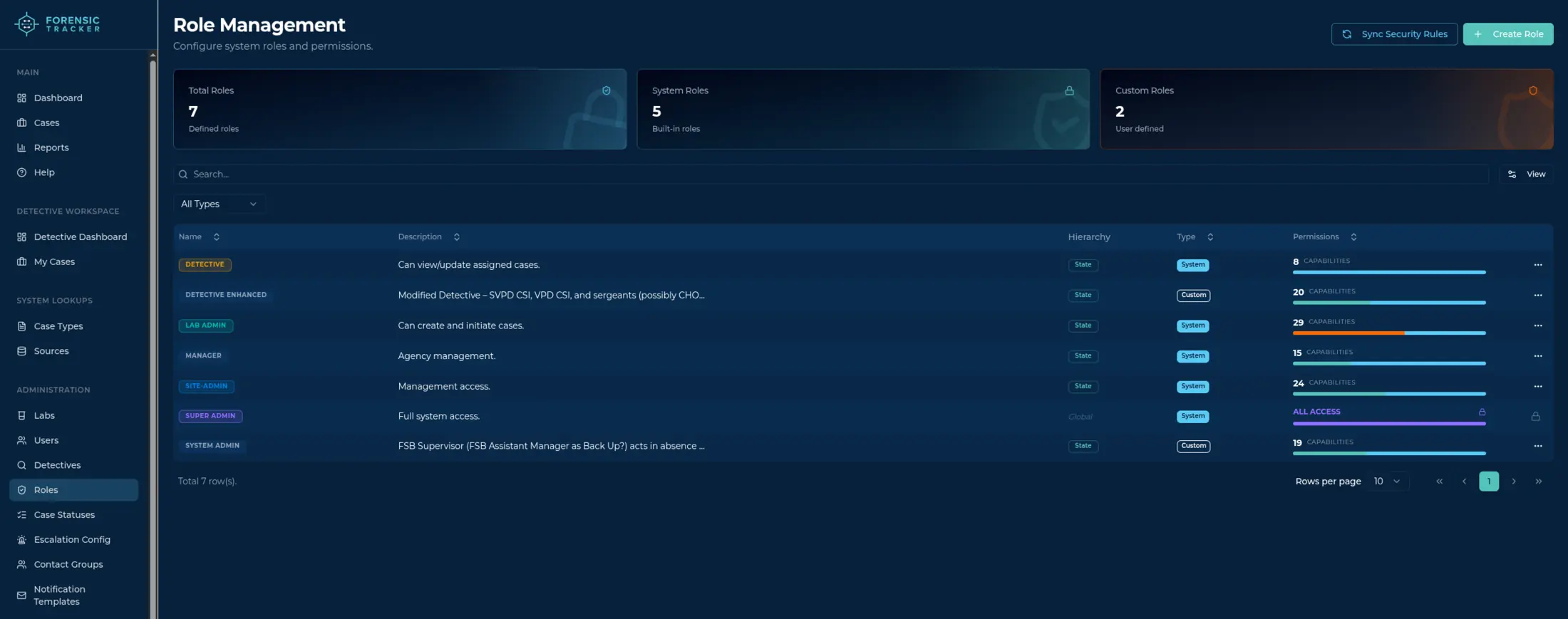
Configure system roles and permissions to match your agency's structure. Built-in roles for detectives, lab admins, managers, and site admins come standard — or define custom roles with exactly the capabilities each position needs, from case creation to full system access.
Investigators and detectives get notified via email or SMS/text messaging. They respond through a secure, password-less response form using the case statuses set up for your specific agency — no logins, no training, no friction.
Every response is recorded against the case, giving labs, supervisors, and prosecutors verifiable accountability from hit to courthouse.
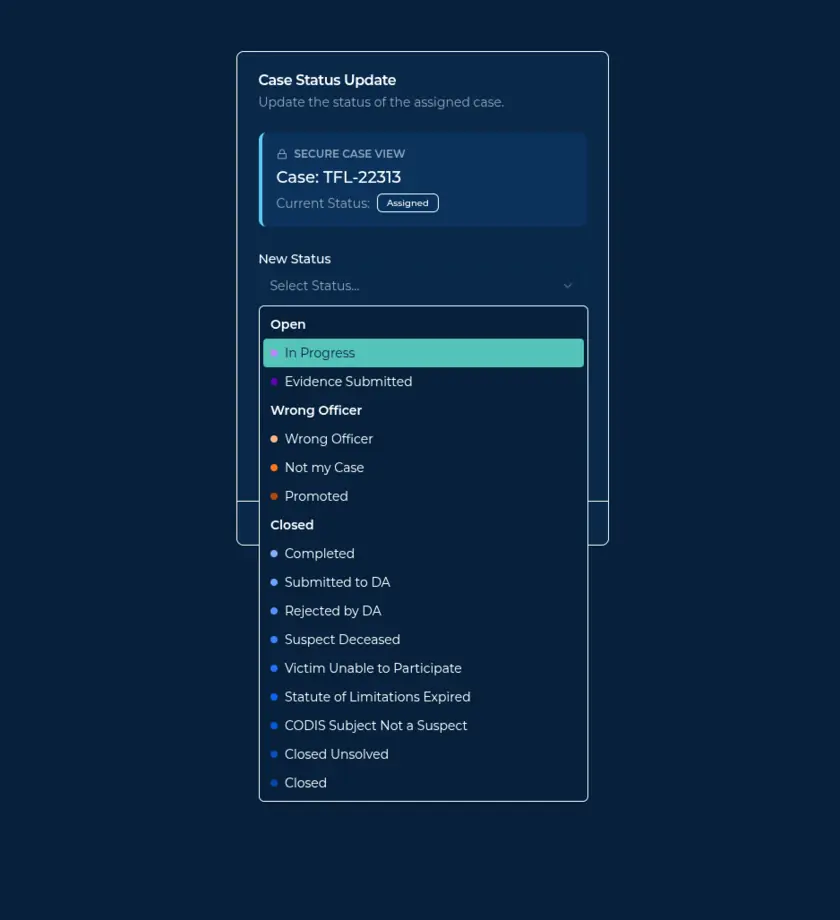
When a notification goes unanswered, Forensic Tracker escalates automatically on the schedule you configure — resending status requests, generating fresh one-time response links, and promoting the case for supervisor attention.
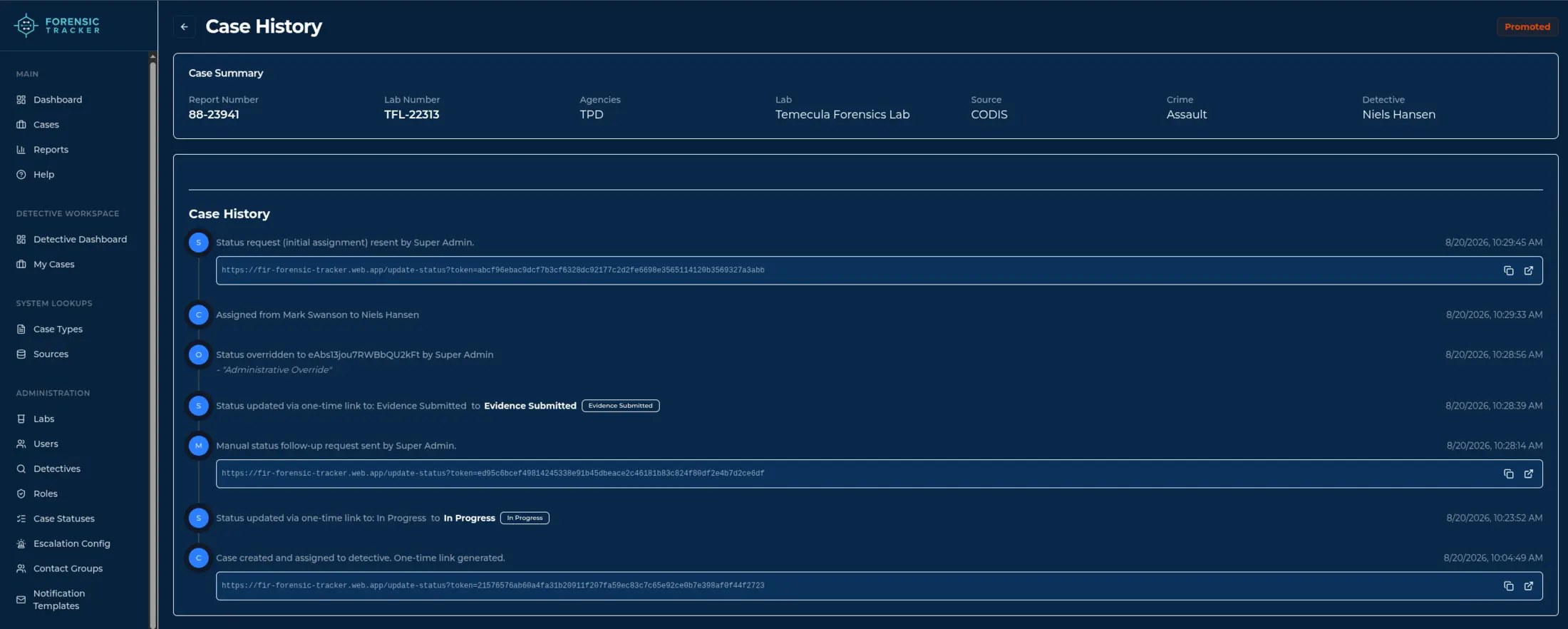
Every step lands in the case history: assignments, reassignments, status changes, administrative overrides, and each one-time link generated — a complete, timestamped record of who was asked, when, and what they answered.
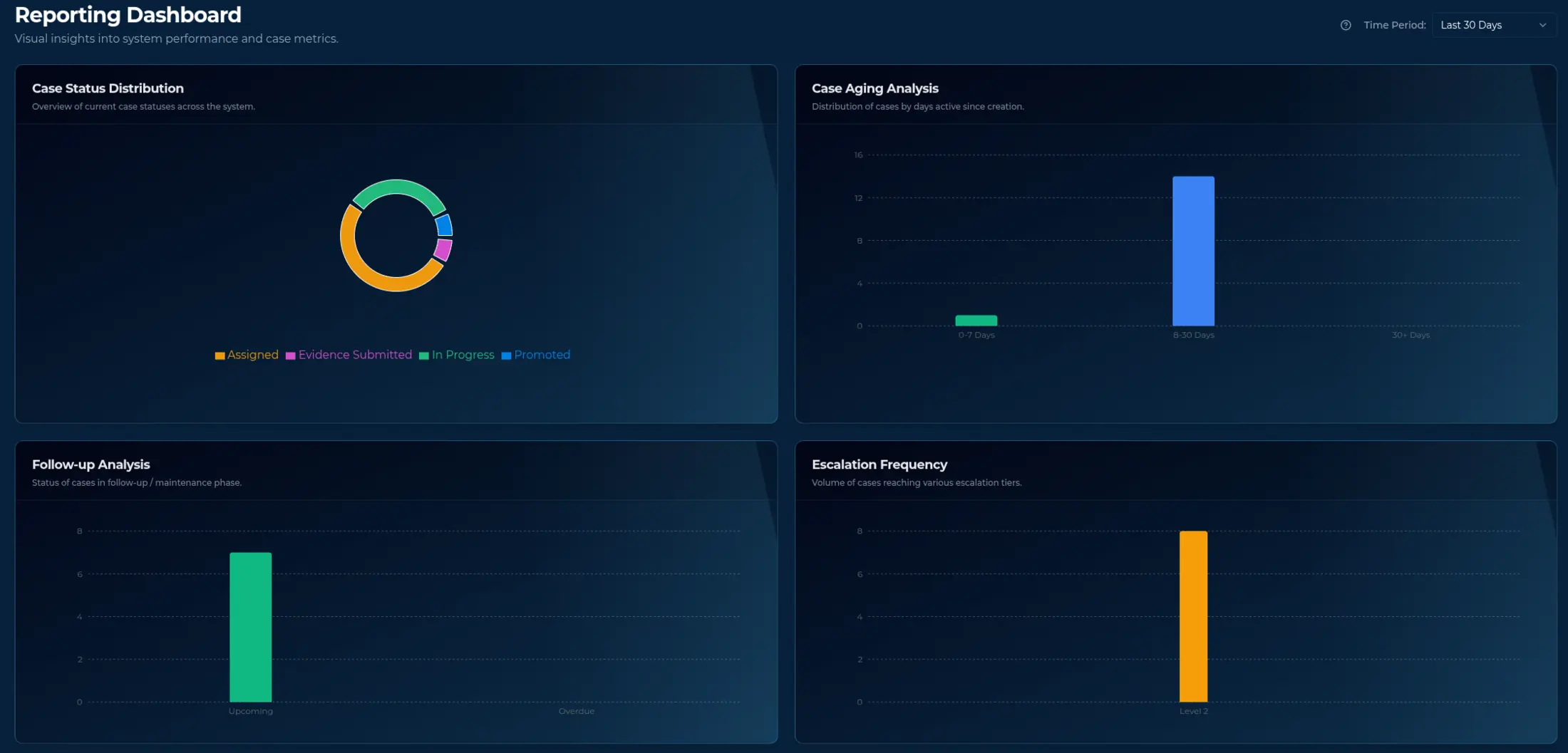
The reporting dashboard gives supervisors visual insight into system performance and case metrics for any time period — case status distribution, case aging since creation, follow-up status, and how often cases reach each escalation tier.
Technology
Case information belongs to your agency, touches active investigations, and deserves infrastructure built for that responsibility.
All data is encrypted in transit with TLS and at rest. Detective responses use secure, single-purpose password-less links — no shared credentials to leak or manage.
Case data is hosted in U.S.-based cloud infrastructure with automated backups. Your agency retains ownership of its data, with full export available at any time.
Granular roles and permissions — detective, lab admin, manager, site admin, or custom — ensure every user sees only the cases and capabilities their position requires.
Every notification, response, and escalation is timestamped and logged against the case — a verifiable chain of communication from lab bench to courthouse.
Cloud-native architecture with redundant infrastructure and monitoring keeps notifications flowing — no on-premise servers for your IT staff to maintain.
Each customer runs on a dedicated domain and works in any modern browser with no software to install.
Capture hits from CODIS, NIBIN, and other data sources in a single tracked workflow.
Reminders and escalation pathways run on the schedule you set until a case gets a response.
Password-less secure response forms and agency-specific case statuses keep data controlled and auditable.
Schedule a demo or read how agencies use it on our blog.
Learn More - Book a Demo